

For staffing and manpower agencies
Staffing agency software for manpower suppliers.
Staffing agency software manages the whole cycle of supplying workers: the order for headcount, the candidates, onboarding, documents, placement on a site, hours and pay. Manpower OS runs that cycle in one private workspace, from a job order for twelve welders to the payslip each of them sees in their app.
- 30 days of full Pro, no card
- Never charged automatically
The problem
Placing workers should not take five tools.
-
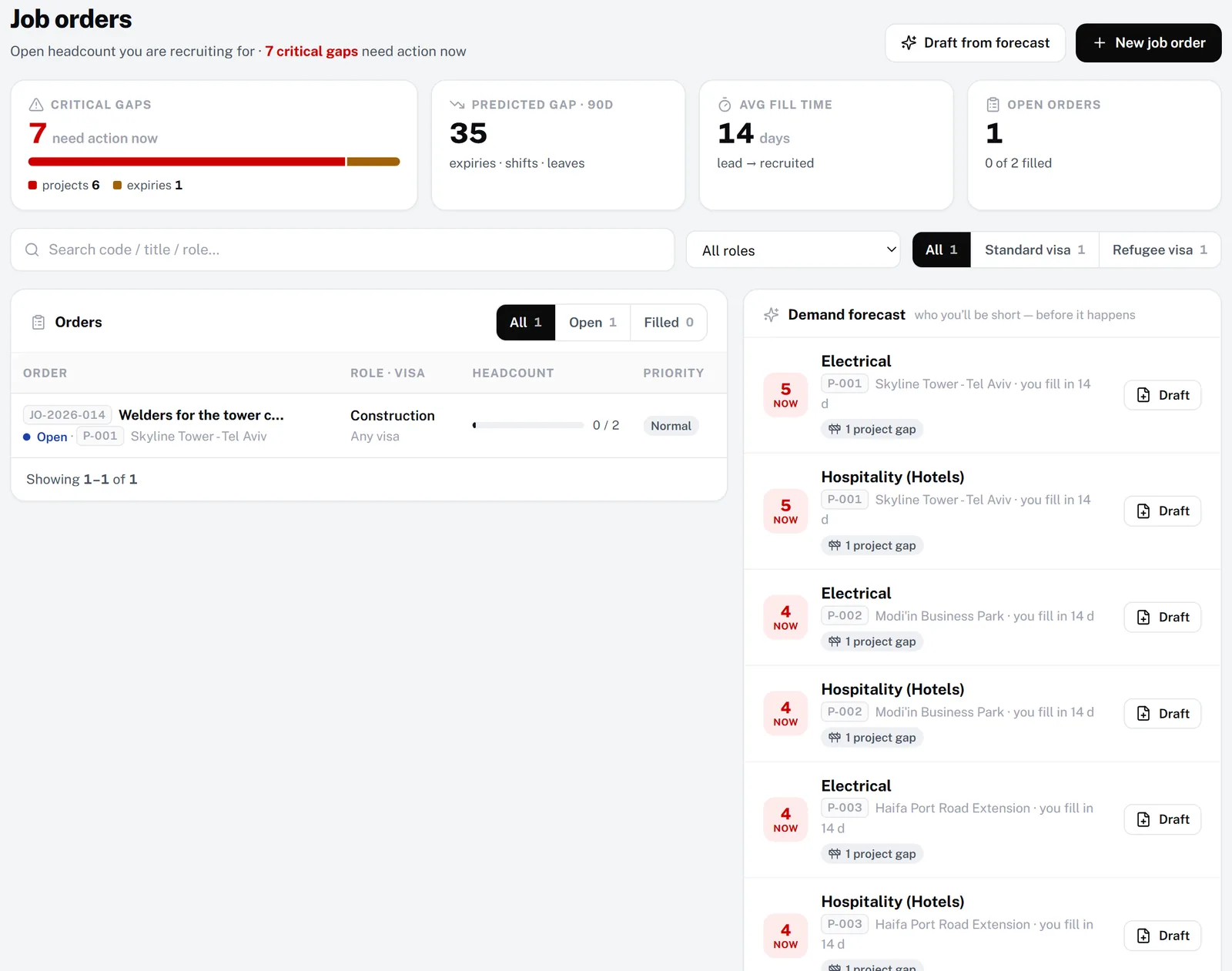
Orders get lost between calls
A site manager asks for six electricians by Monday. The request sits in a notebook, and nobody knows how many are already found.
-
Candidates live in chats
CVs, passport photos and phone numbers are scattered across chats and inboxes, so the same person is called twice, or never.
-
Onboarding is copy and paste
Every new worker is retyped from the CV into a spreadsheet, then into payroll, then into the site list.
-
Placed workers drop out of sight
Once a worker is on site, permits expire and hours go missing until the complaint arrives.
How Manpower OS solves it
From the order to the payslip, in one record.
Every candidate becomes a worker without retyping, and every worker stays visible after placement.
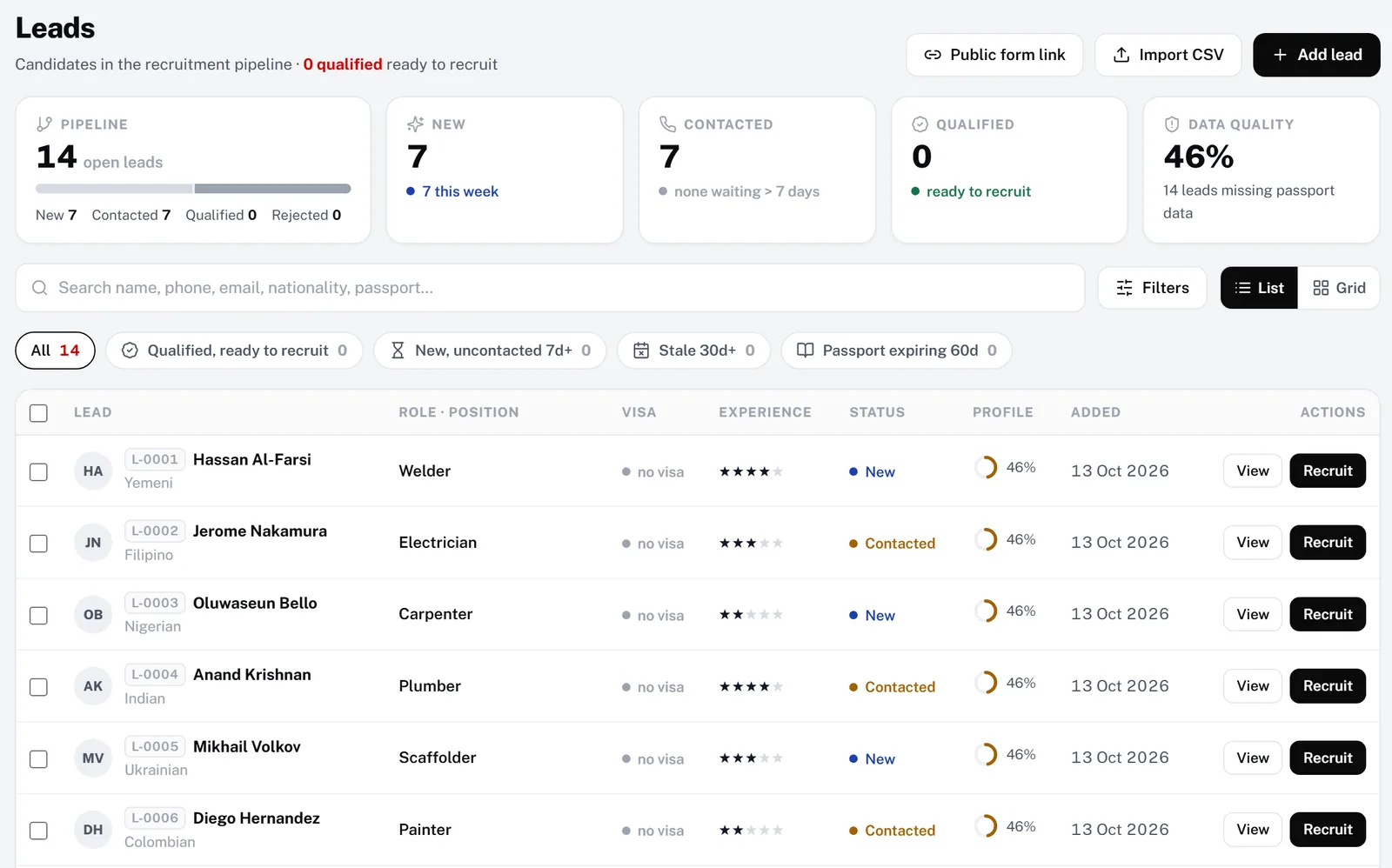
A recruitment pipeline, not a pile of CVs
Candidates arrive from your public application form, a CSV import or by hand. Track each one from new to contacted to qualified, match them to job orders, then recruit them as an employee in one click.
- A public application form link to share anywhere
- A data-quality check for missing passport details
- AI CV parsing on paid plans
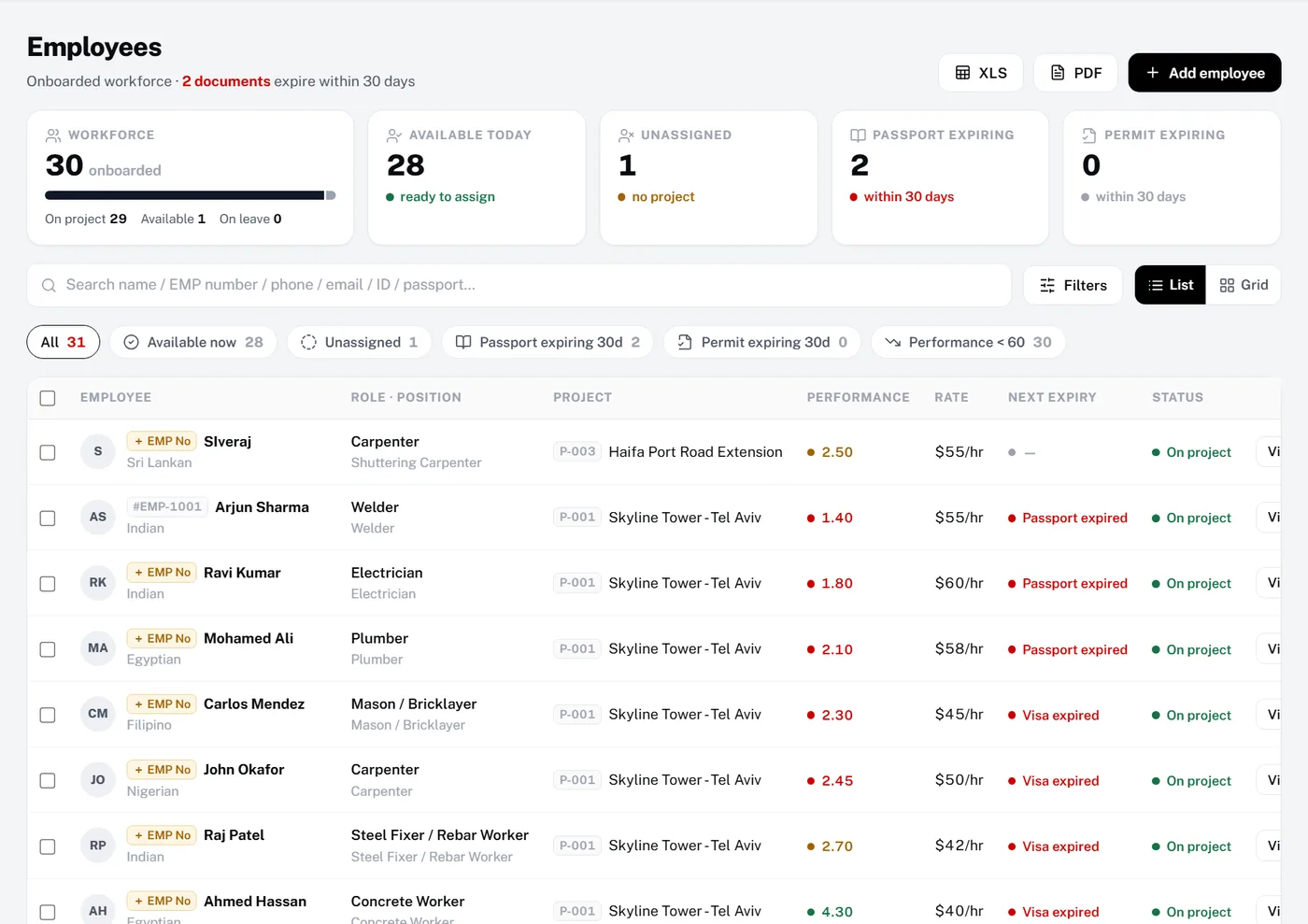
Placed workers stay in view
After placement each worker keeps one record: role, project, rate and the next document to expire. Quick filters show who is available, unassigned or about to lapse.
- Available now and unassigned filters
- Next expiry per worker, flagged in red
- Your own employee numbers on every screen
Also built in
Onboarding without retyping
Recruit turns a candidate into an employee with their details and documents, and sends the welcome email.
All plansVisas and work permits
Visa types, work permits and passports with expiry dates. Roles can be limited to the visa types allowed to do them.
All plansProjects and sites
Each placement is a project with the client name, location and staffing needs per role.
All plansHours and timesheets
GPS check-in from the worker’s phone, or an uploaded timesheet spreadsheet, approved in one weekly review.
Growth & ProPayroll and advances
Pay approved hours with your overtime rules, recover salary advances automatically and publish payslips.
Growth & ProHousing and transport
Houses, free beds, vehicles and bus cards for the workers you supply.
Growth & ProBadges show the plans that include each module. The 30-day trial includes everything in Pro except the AI assistant.
How it works
Up and running in 4 steps.
- 1Start your workspaceSign up for 30 days of the full Pro plan, free and without a card.
- 2Import workers and candidatesBring in employees from a spreadsheet and candidates from CSV, or share your application form.
- 3Log job ordersRecord each request for headcount with role, visa category and target date, and match candidates to it.
- 4Recruit, place and payRecruit candidates into employees, assign them to the project and pay from approved hours.
Compare
How it compares.
What a typical setup looks like, side by side. General descriptions, not any one vendor.
| Need | Spreadsheets & WhatsApp groups | Generic HR / time-clock apps | Manpower OS |
|---|---|---|---|
| Requests for headcount | Notebooks and chats | Not built in | Job orders, filled versus required |
| Candidate pipeline | CVs in inboxes | Often a separate tool | Leads pipeline and public form |
| Candidate to employee | Retyped by hand | Re-entered between tools | One click, details carried over |
| Visa and permit expiry | Calendar reminders, if any | Basic HR fields | Renewals list with reminders |
| Hours of placed workers | Paper or photos | Time clock only | GPS check-in or timesheet upload, then approval |
| Payroll and advances | A separate payroll sheet | A separate payroll tool | Built in, from approved hours |
FAQ
Questions, answered.
Software that runs the core work of a staffing or manpower company: taking orders for workers, recruiting candidates, onboarding them, keeping their documents valid, placing them on sites and paying them. Manpower OS covers all of these in one workspace.
Yes. Temp and labour-supply companies use job orders, placement, hours and payroll; recruitment-led agencies use the candidate pipeline, the public application form and job-order matching. Both live in the same workspace.
When a candidate is ready, Recruit turns the lead into an employee with their details and documents and sends a welcome email. The worker then signs in to the app to check their details and upload any missing documents.
Not today. Manpower OS covers the worker side: orders, recruitment, placement, documents, hours and payroll. Use the timesheet and payroll exports with your accounting software to bill clients.
Plans count workers on file and staff logins. Free covers up to 10 workers, Growth up to 30 and Pro up to 150; workers’ own app logins never count as staff logins. Larger agencies can use a self-hosted licence with unlimited workers.
Yes. Import employees from an Excel or CSV file and candidates from CSV, then share the public application form for new applicants.
Try it with your own crew.
Create your workspace in under a minute. Full Pro free for 30 days, no card, then pick a plan or stay on Free.